HOW TO SEND A SUPPORT A MAIL TO ISP CONFIG ADMINISTRATOR:
Login to your account in ISP Config
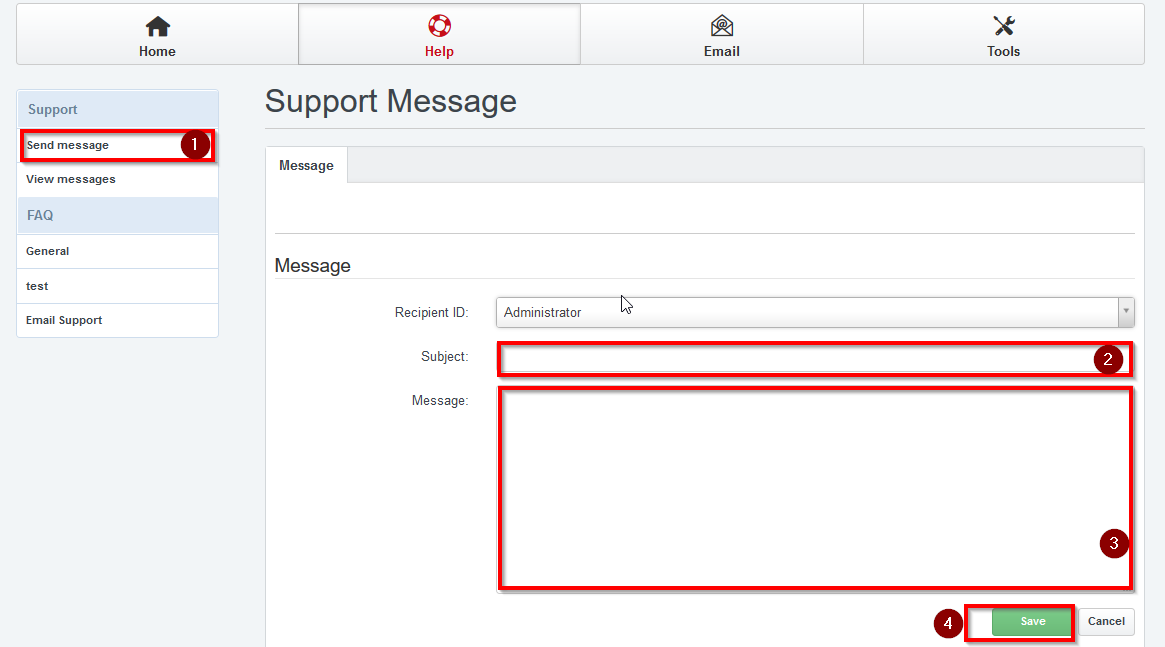
STEP 1: Click Help icon
STEP 2: Click Send message icon under Support to send a message.
STEP 3: Select the Recipient Administrator and enter the message with subject
STEP 4: Click send, You will get a acknowledgement for your request.