
STEP 1: Login to Azure Active directory https://aad.portal.azure.com/
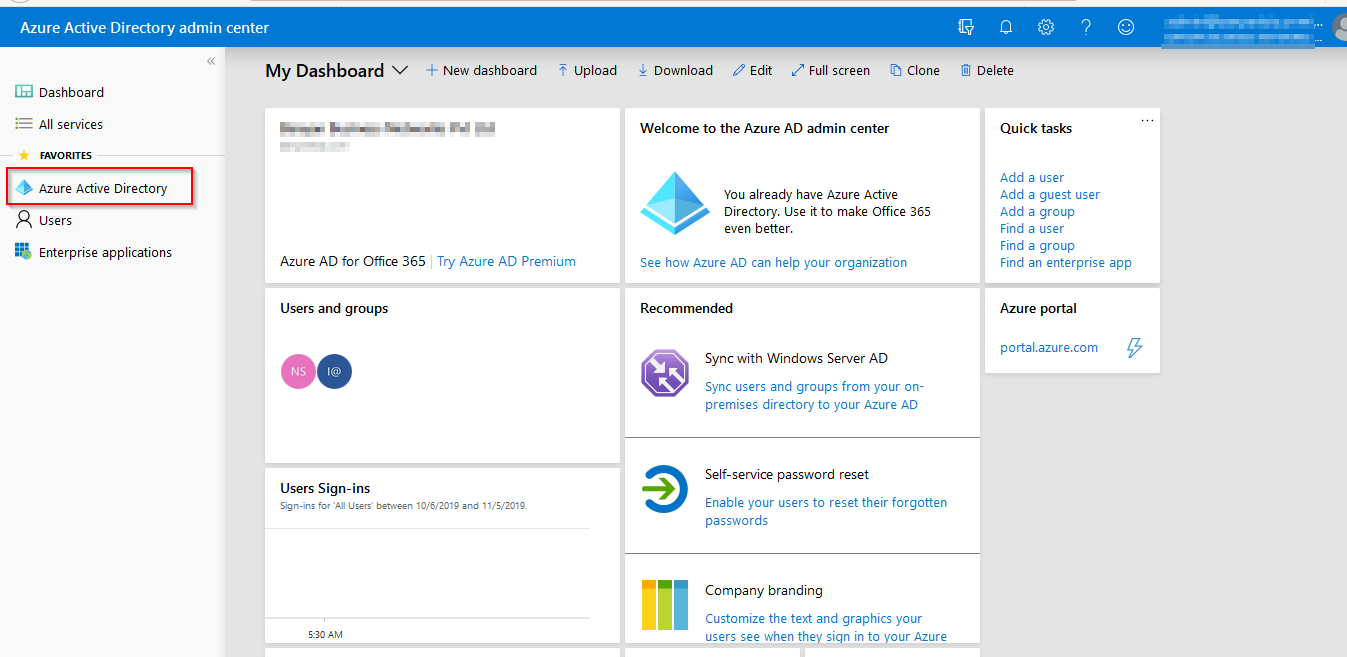
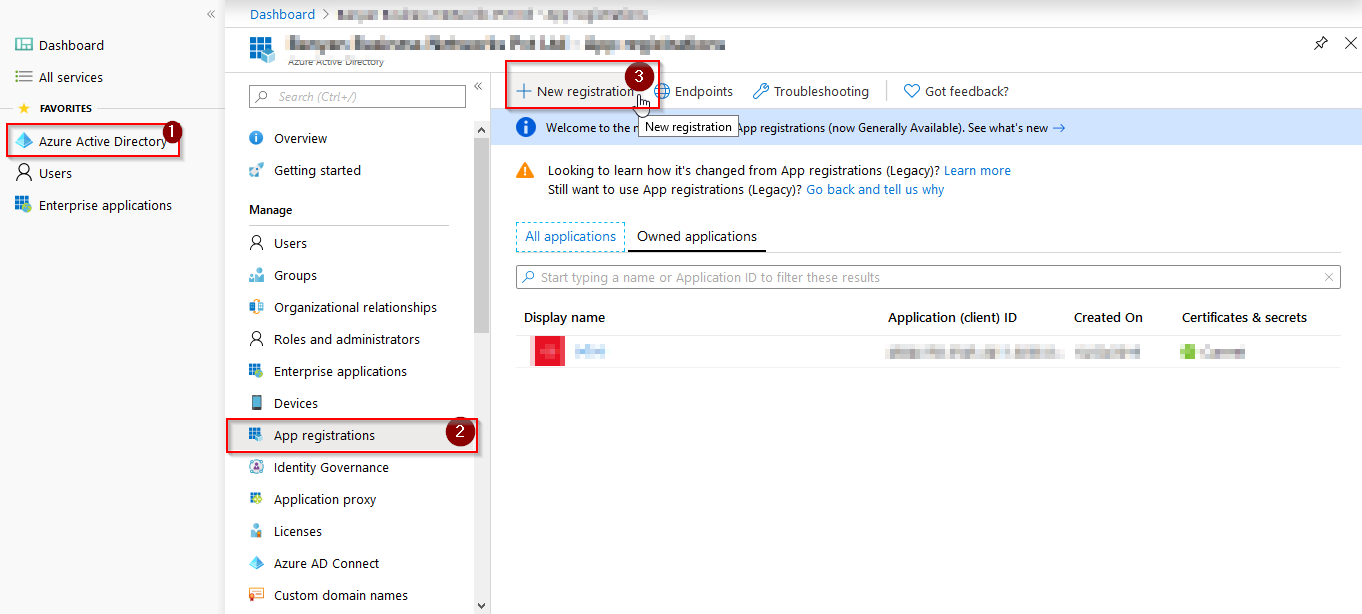
STEP 2: Select Azure Active Directory –> App registration –> New Registration
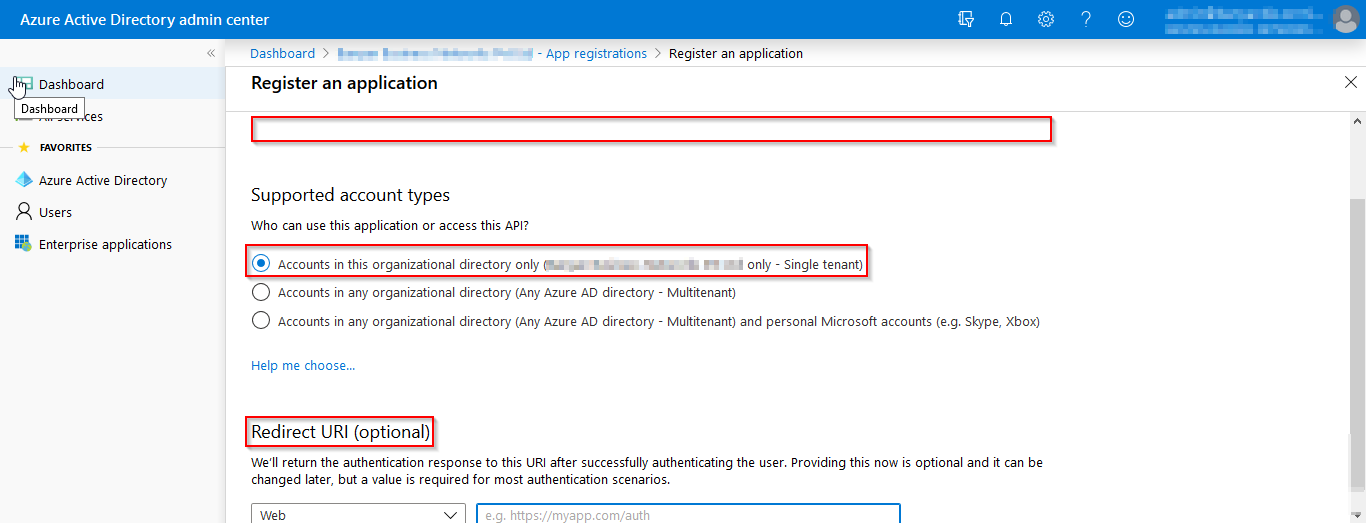
STEP 2: Enter the APP name and redirect URL as https://domainname/auth_oauth/signin
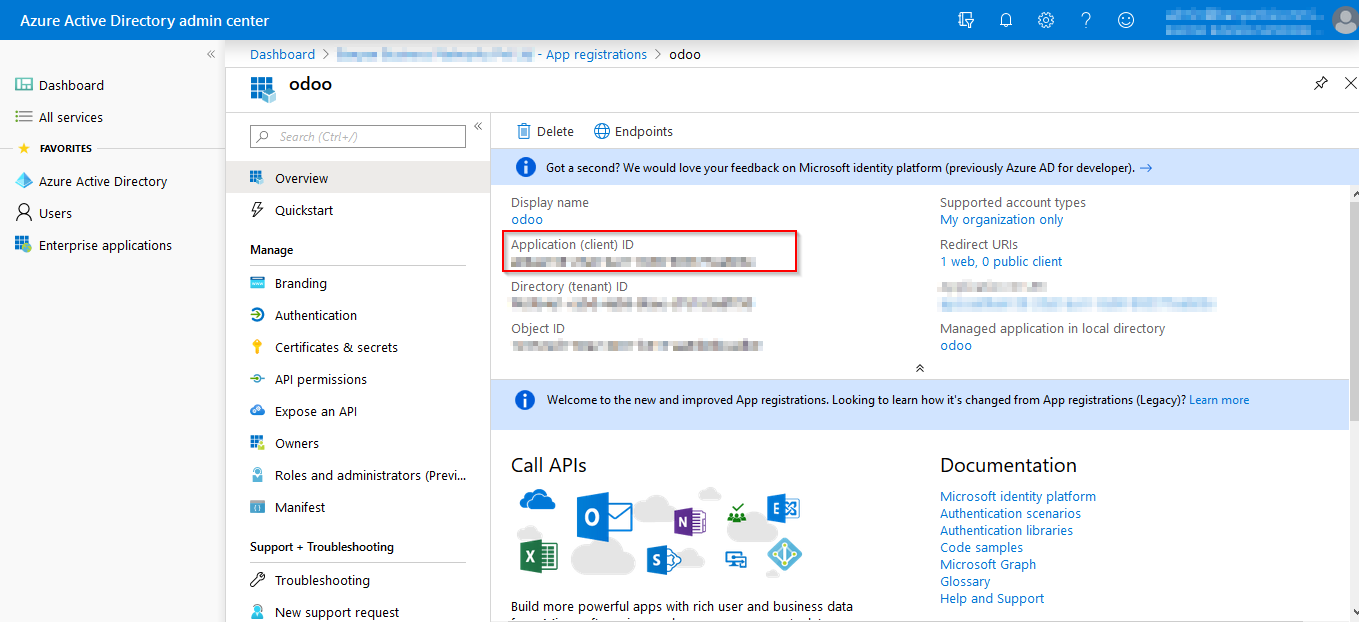
STEP 4: Copy the client ID
Configuration in Odoo :
STEP 1: Install the OAuth Module and Microsoft Graph Oauth Authentication Module.
STEP 4: Login in as Administrator in odoo and goto Settings –> General settings –> OAuth Providers –> Create
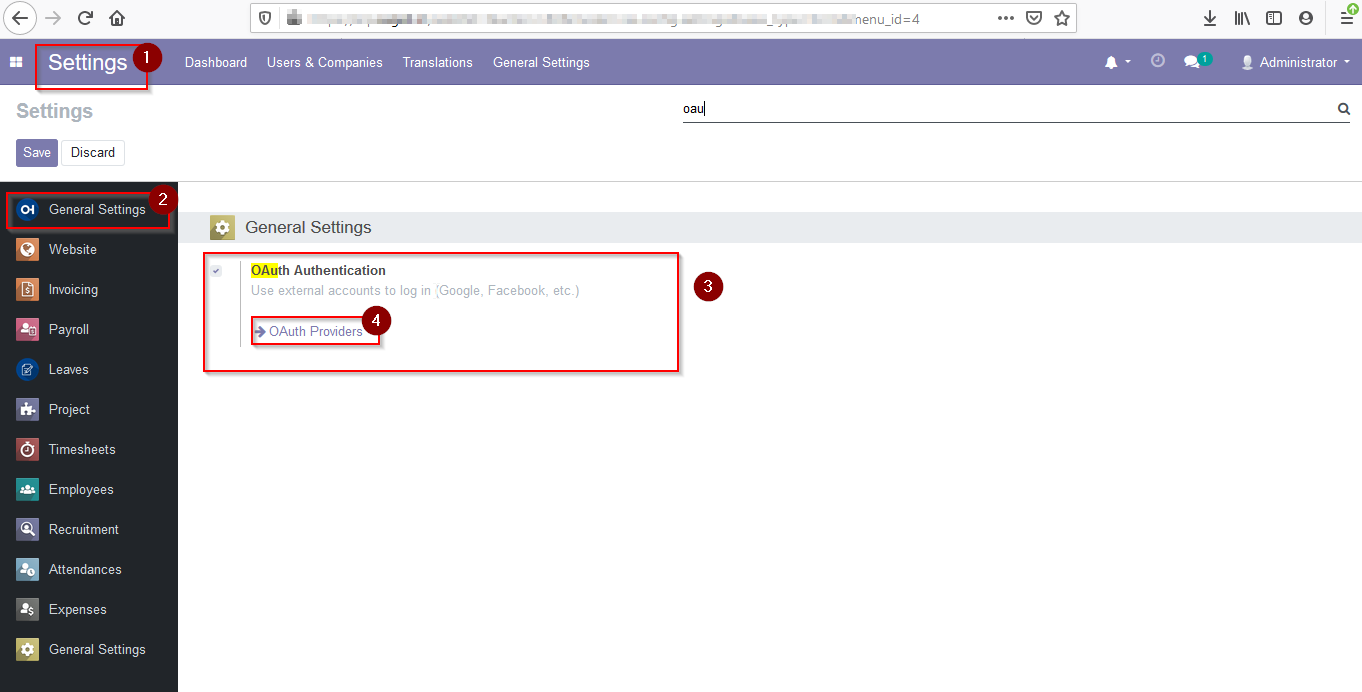
Create a new OAuth providers and Enter the following details
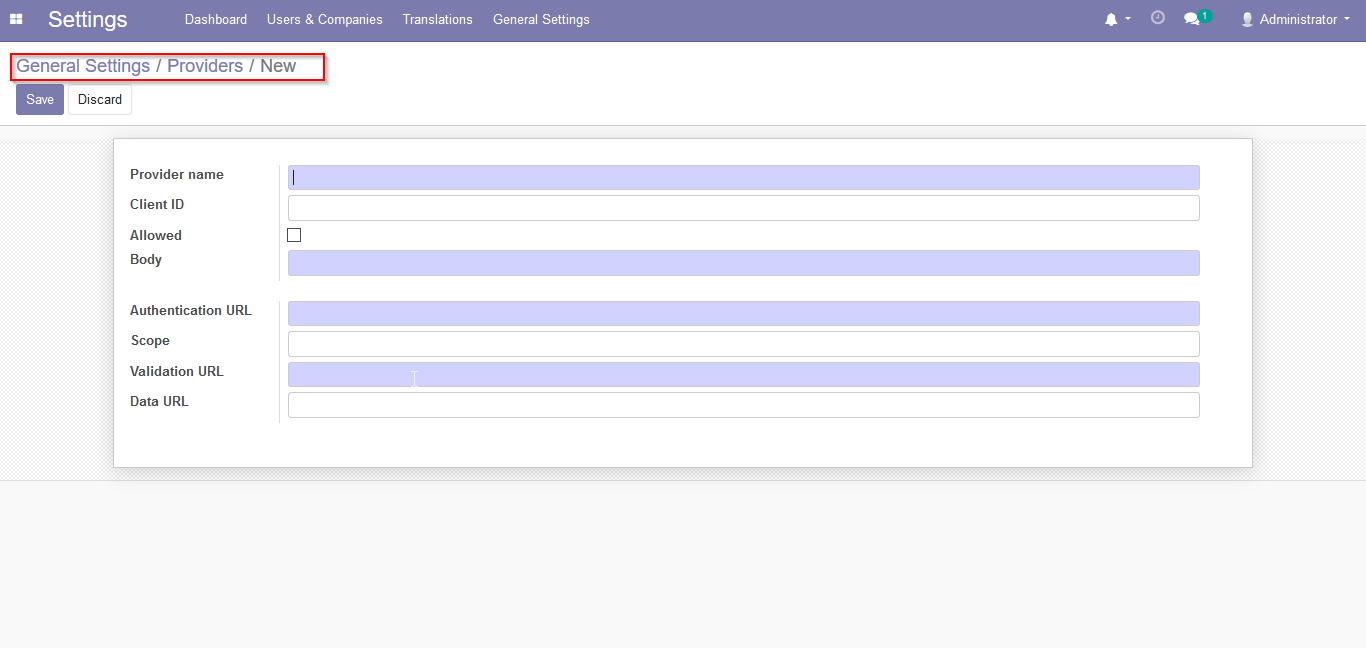
Provider Name: Azure AD
Client ID: ” Azure Client ID “
Authentication URL: https://login.microsoftonline.com/common/oauth2/v2.0/authorize
Scope: User.Read User.ReadBasic.All User.ReadWrite
Validation URL: https://graph.microsoft.com/v1.0/me
Data URL: Empty