Firewall is a network security device that acts as a filter for network or computer.It allows or block the data flow from internet to trusted connection(LAN). The firewall can be hardware, software or combination of both. The Firewall having some rules that are predetermined or user determined rules.
pfSense is a open source firewall/router which have user defined value to allow or block the network connection for some specific user or all users.It is based on the FreeBSD operating system. pfSense software is used to make dedicated firewall/router for a network and it is considered for its reliability and offers many features which mostly found in commercial firewalls.
Hardware Requirements:
- Minimum of Pentium processor
- 256MB of RAM
- 1GB of HDD
- 2 Ethernet card
- pfSense “.ISO” file in bootable pen drive
pfSense installation:
Step 1. First visit the pfSense download page and select your computer architecture and platform.
Step 2. After selecting the architecture and platform, you will get a list of mirrors to download, make sure to select nearest mirror link to download the image from there.
Step 3. After download completes, the downloaded image should be burn to a USB media as an ISO image before we start using it.
Step 4. Now switch on or reboot the target machine, place pfSense USB stick and set the BIOS options to your (USB) choose.
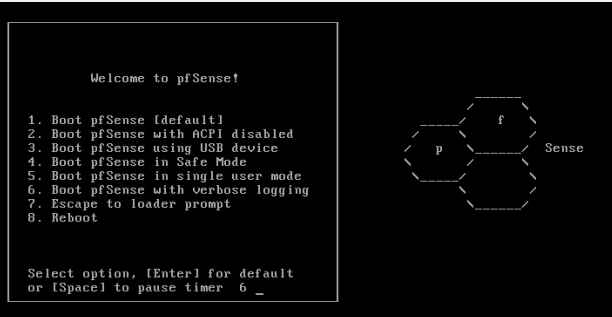
Step 5. As the pfSense starts booting, a prompt is displayed with some options and a countdown timer. At this prompt, press 1 to get install pfSense by default.
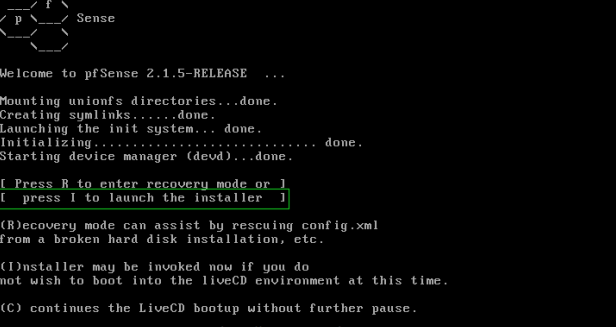
Step 7. Next, press ‘I ‘ to install fresh copy of pfSense.
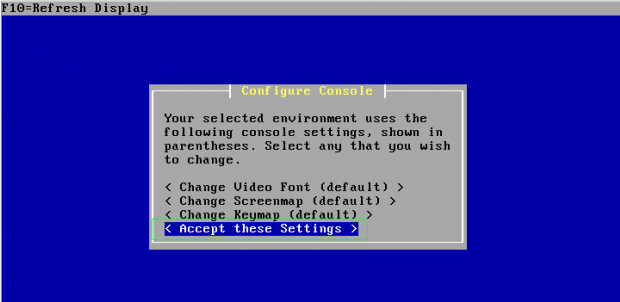
Step 8. On the next screen, it will ask you to ‘Configure Console ‘, just press ‘Accept these settings‘ to move forward for installation process.
Step 9. Select a partition to install the pfSense,
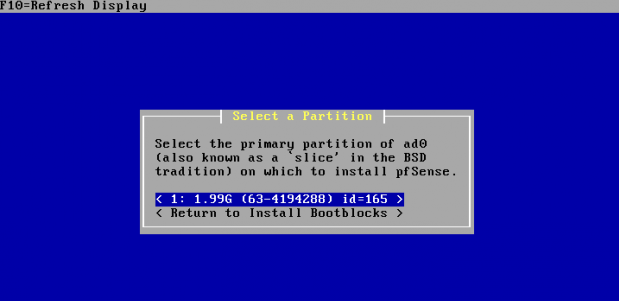
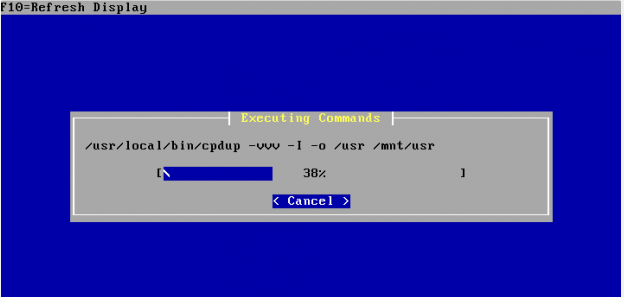
Step 10. Once partitions has been created, you will see the installation process.