Setting up a Server in AWS.
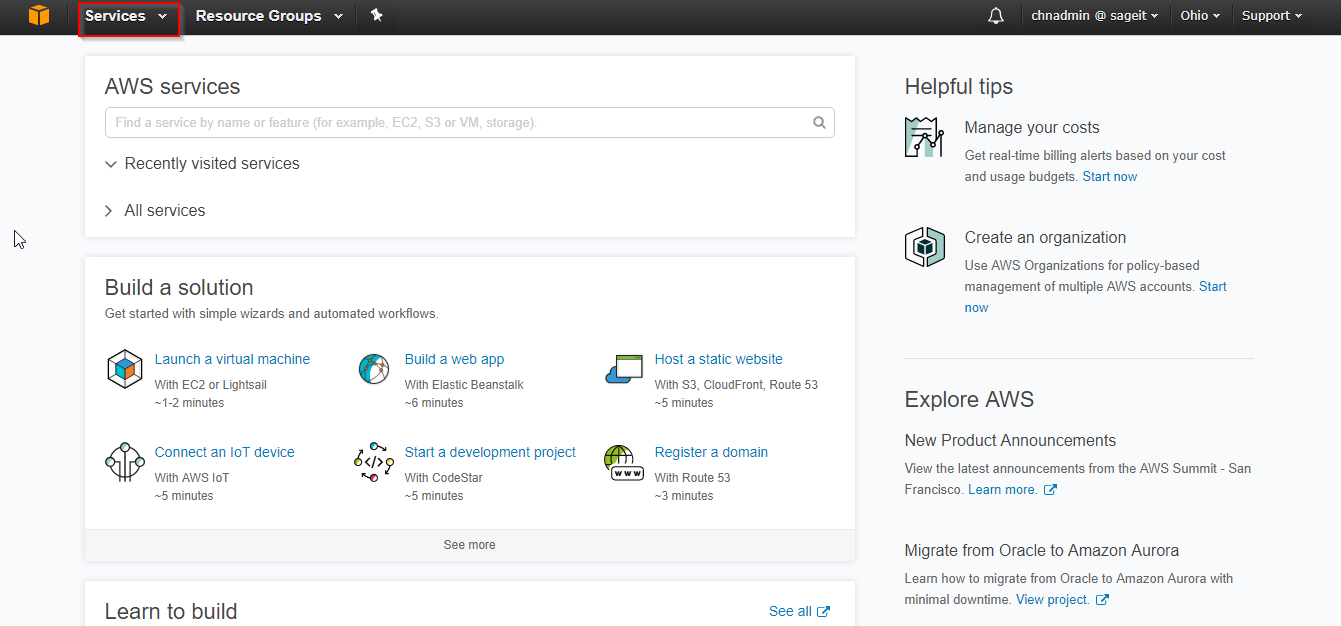
Step 1:Login to the AWS web portal of server.
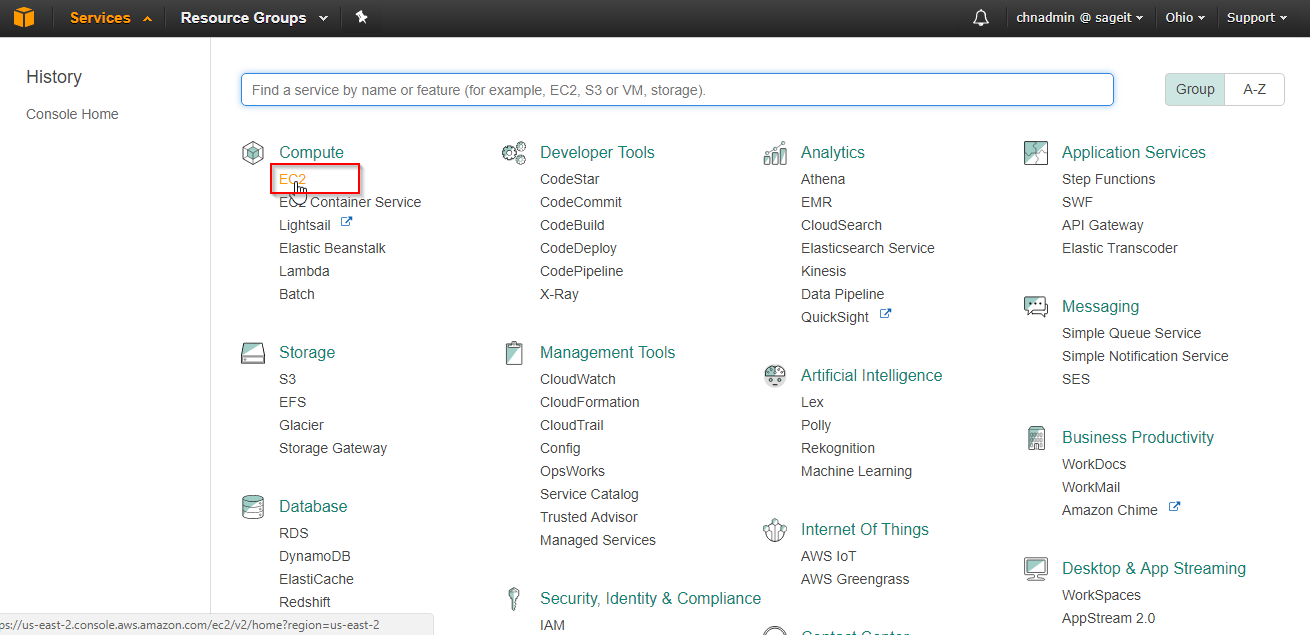
Step 2:Direct to the EC2 which is known as Elastic Container
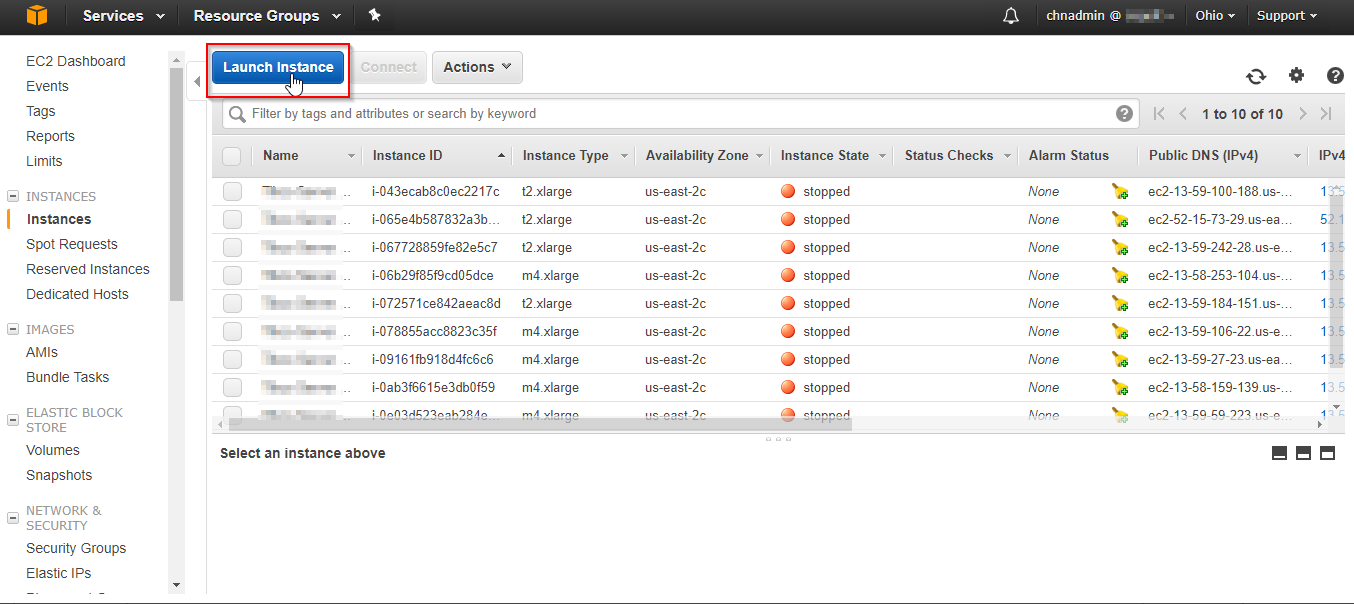
Step 3:Then Launch a new Instance in portal and follow.
Step 4:Select the AMI as Redhat, licenses will be pre-installed in the server.
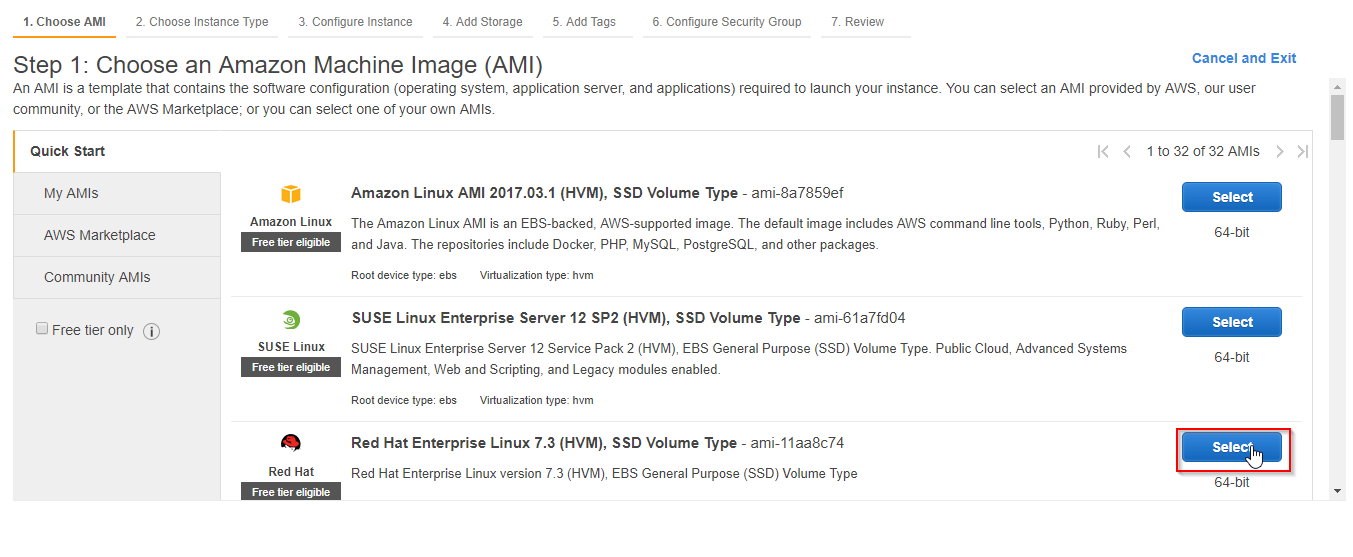
Step 5:Select your appropriate requirement for the server.
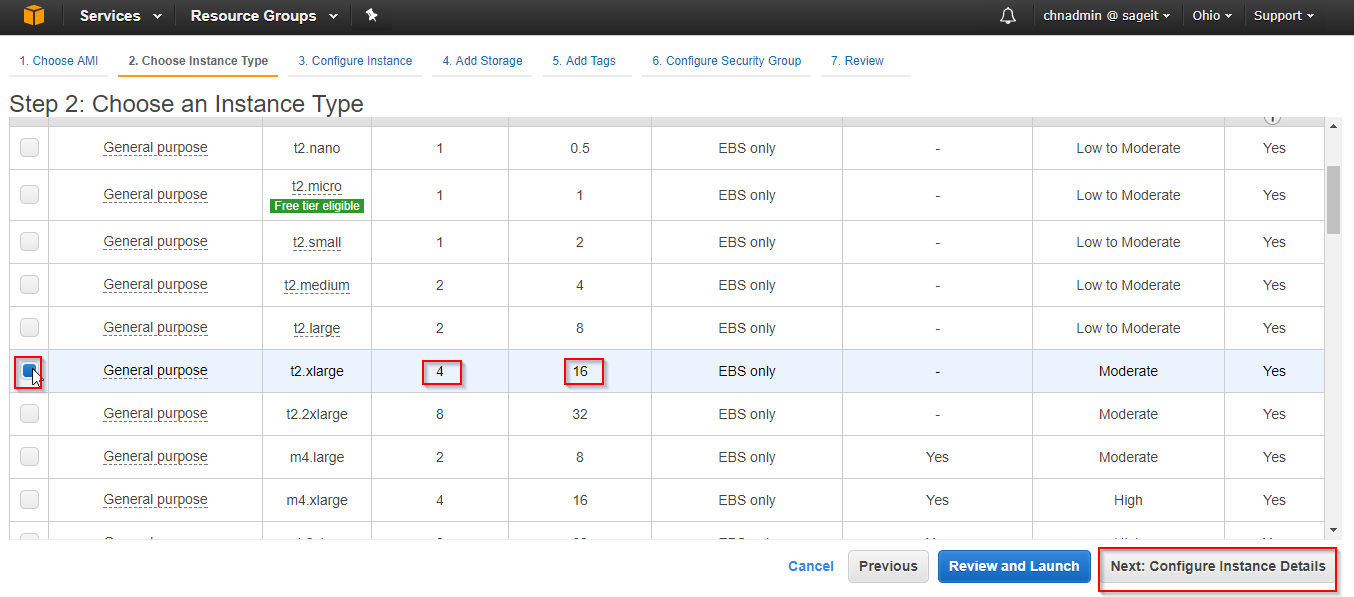
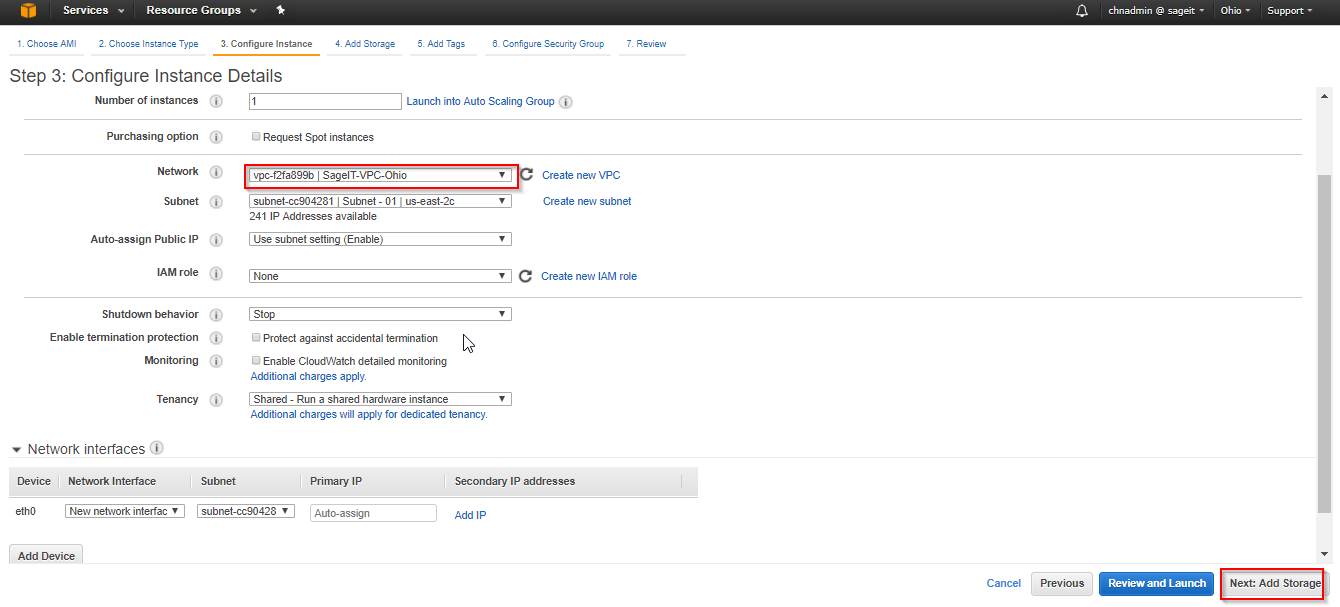
Step 6:Then Select the VPC for the VM. Also the selection of region is based on subnet of the VPC. Each region has three zones; select the subnet you want to have all the storage volumes too.
Volume from one zone will not be useful for another location.
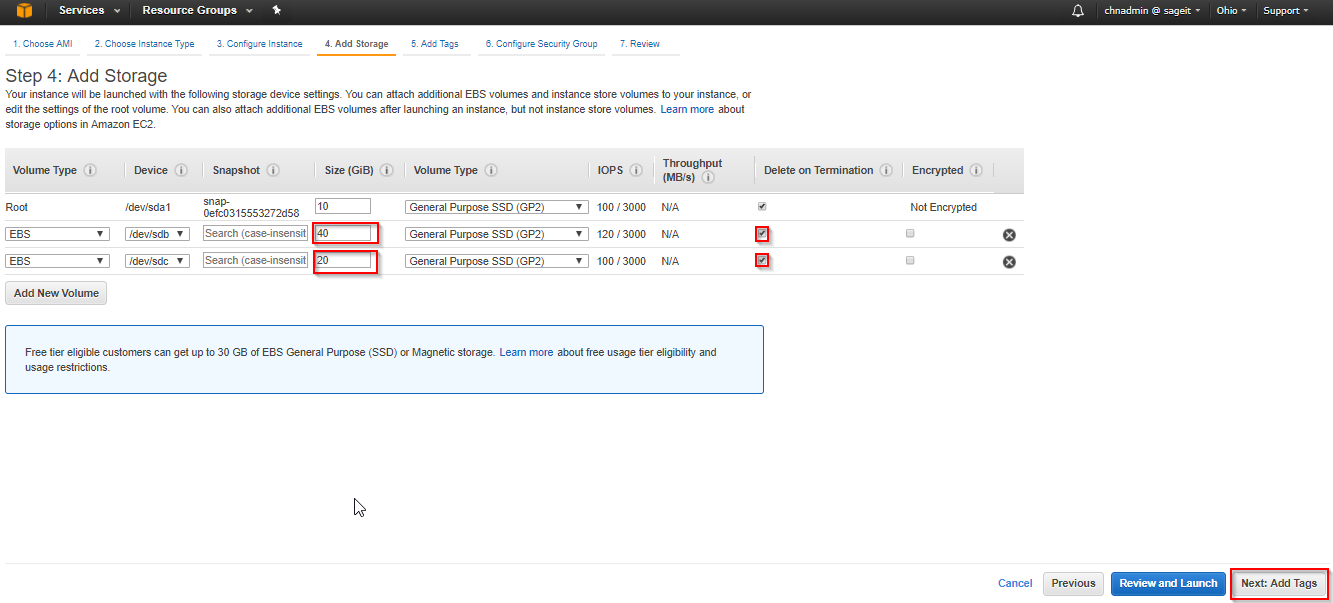
Step 7:Add two volumes manually this need to be mounted to the server speartely.
Step 8:Let the tag section be as it is, skip to next.
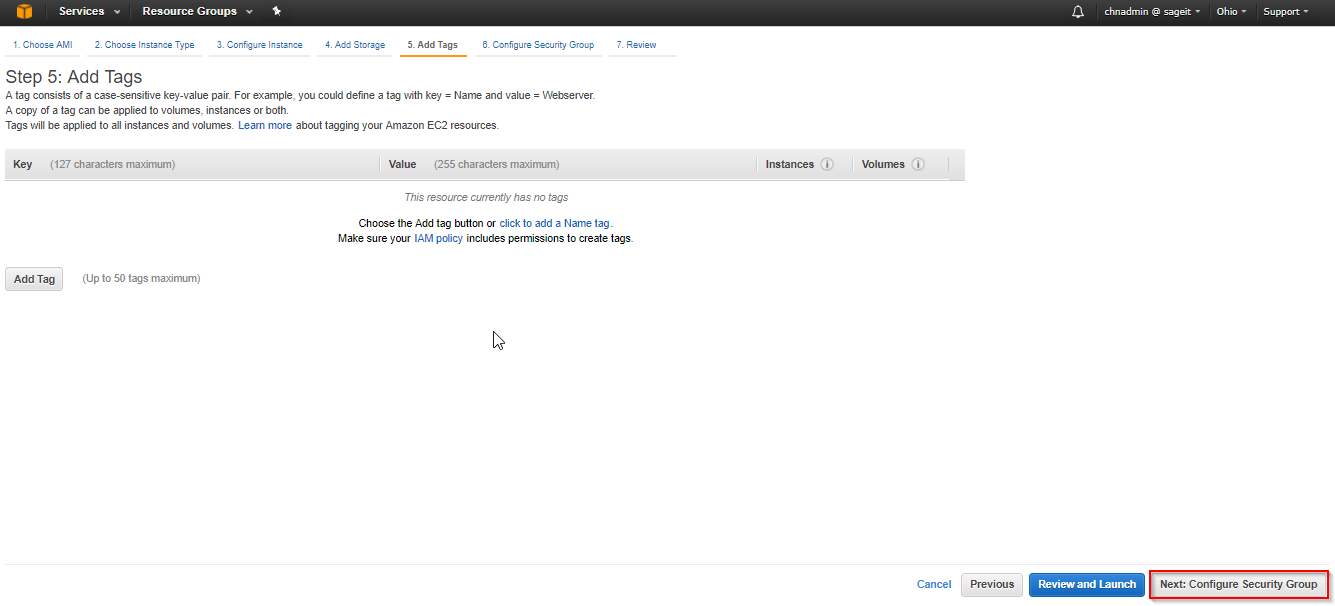
Step 9:For this RHEL server Tom Cat Server is going to installed for the server.
Add 22 for SSH and 48080 to 48090 for application.
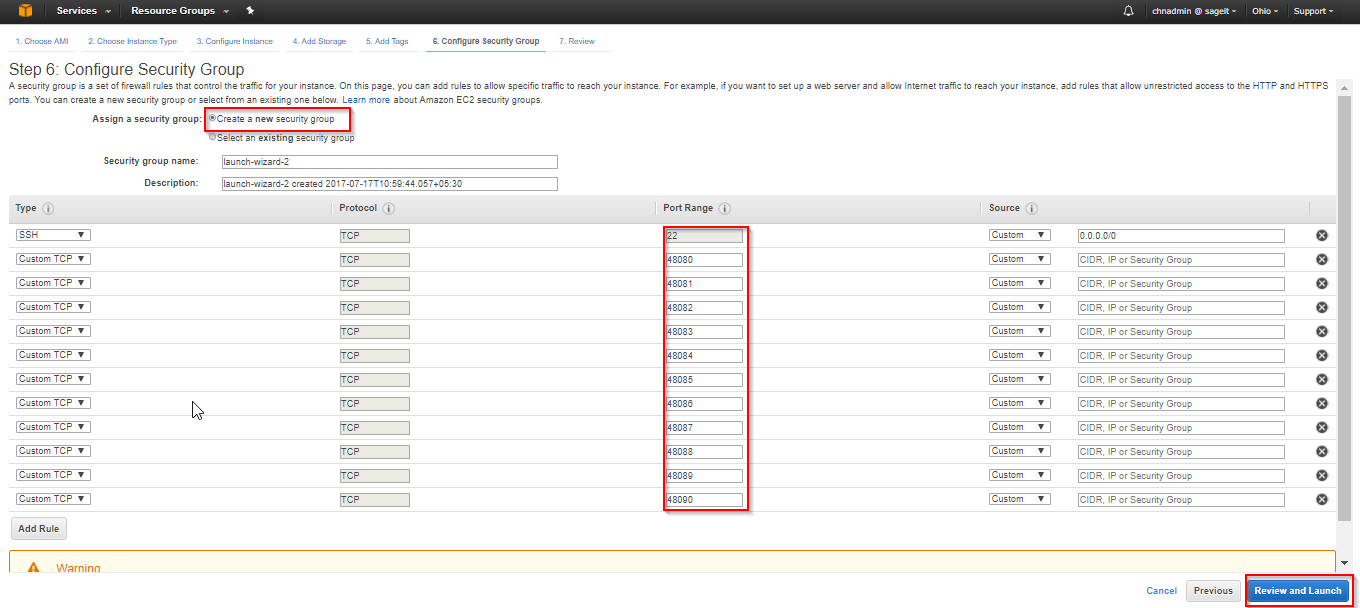
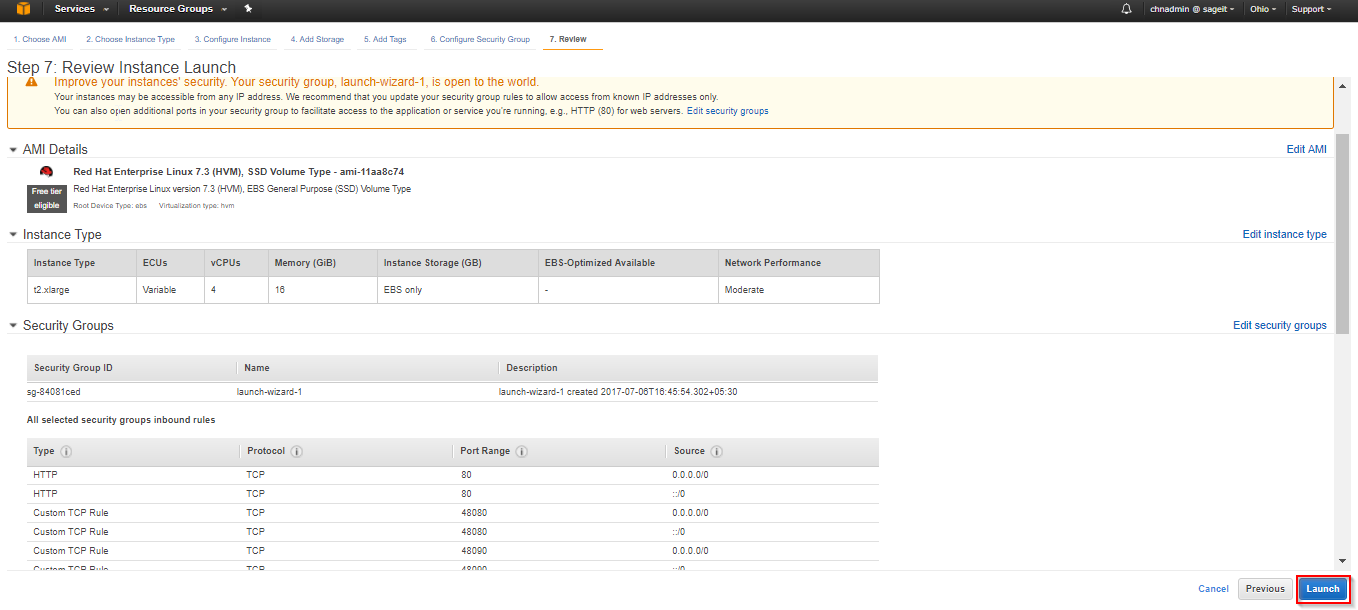
Step 10:Finally review all your required information’s and launch the server.