
How to Increase root partition in Linux?
The root partition of the linux is denoted by the symbol ( \ ). This partition should have enough space to install and keep temp for the application. If the root partition is not enough for the server or Linux machine. We can increase the space of the root partition using the following method.
Step: 1
Command: fdisk –l
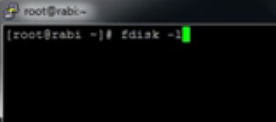
Results:
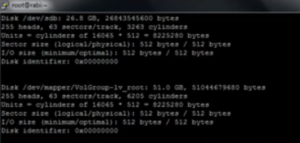
Use this command to check the available partitions
Then followed by,
df –h
This command will show number of available mount points currently active.

Now by comparing both the commands, you can find that one partition is still not mounted.
In ESXi server or cloud, you can add a virtual harddisk in the VM console and add it to the VM.
Step 2:
Create the physical harddisk with the following commands
Step 3:
Find the volume name using the following command
vgdisplay

Then followed by extend the volume group using the newly added virtual harddisk.
Command – vgextend VolGroup /dev/sdb
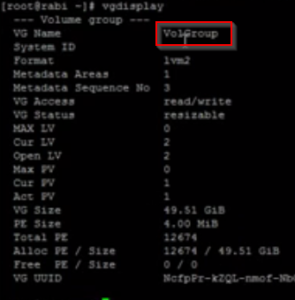
Now the new virtual harddisk is added to the volume group of the Linux.

Now we have to extend the volume group with the additional partition using the following command.
Now Logical Volume need to extended for the volume with that external partition.
Use the following command,
lvextend /dev/root /dev/sdb
Then,
RHEL Command:
xfs_growfs /dev/root
In Ubuntu Linux it is different command.
resize2fs /dev/root
Now check the volume space, you must be able to see the
df -h
The volume of the root can be increased; you can use the same technique to extend any volume in the linux. But, the volume should be in LVM format.